Level review is where the plan meets the world — and it’s where most tools quietly fall apart. The feedback lives in a browser tab. The level lives in the editor. Between them sits a sentence like “fix the lighting near the third pillar” that made sense in the meeting and means nothing an hour later.
The note nobody can find
When feedback and geometry live in different applications, every note becomes a small act of translation. A reviewer writes “the collision on the far crates feels off.” Which crates? The person fixing it flies around guessing. Screenshots help until the layout shifts and the screenshot becomes a lie.
The cost isn’t one confusing note. It’s the drag of a hundred of them — and the reviews that quietly stop happening because they’ve become too much friction to bother with.
Anchor the task to the thing itself
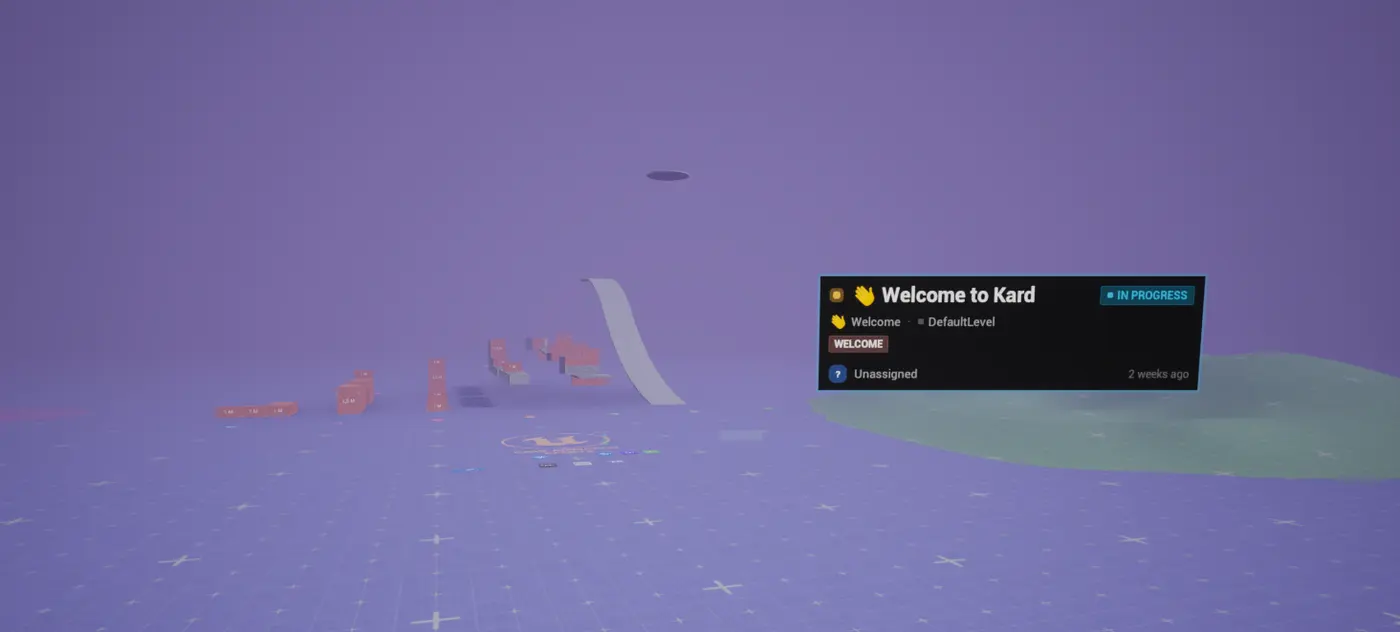
Kard lets you attach a task to a place in your level, not a description of a place. Right-click an actor and choose Create Task for Actor; right-click empty space and choose Create Task Here. A camera-facing badge appears in the viewport at that spot, with a dashed tether pointing at exactly what it’s about. The task now lives where the problem is.
You can anchor to three things:
- A specific actor — the badge rides along if the actor moves.
- A point in the world — for “the lighting here”, where there’s no single object to blame. It’s World Partition– and data-layer–aware, so the badge only appears when that part of the level is loaded.
- A class of actor — the badge tracks the nearest live instance, for “every lamppost like this one.”
Drag a badge to nudge it, or use the transform gizmo to place it precisely. And because Kard remembers the camera framing you had when you dropped the note, Go To flies the camera back to that exact view — the badge lands framed on screen, never buried inside the lens.
The reviewer stops describing where. They just point.
”Won’t this clutter my level?”
No — and this is the part that matters. The badges are editor-only. They’re transient viewport markers that are never saved into your level and never ship in a build; your packaged game has no idea Kard was ever there. Hide them and the scene is exactly as you left it. The annotation lives on the task, not in the level.
The note survives the project
Because the anchor is stored on the task — and every task is a standard asset in your own project — it travels with everything else. Branch the level and its review notes branch with it. Nothing is stranded in a service that forgets your geometry the moment the meeting ends.
That’s the difference between a comment about your level and a note that lives in it.